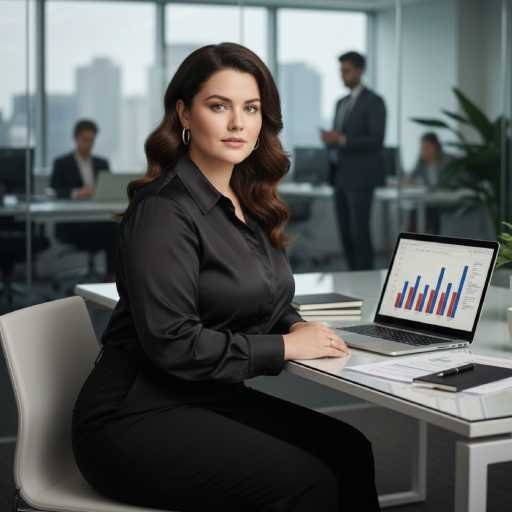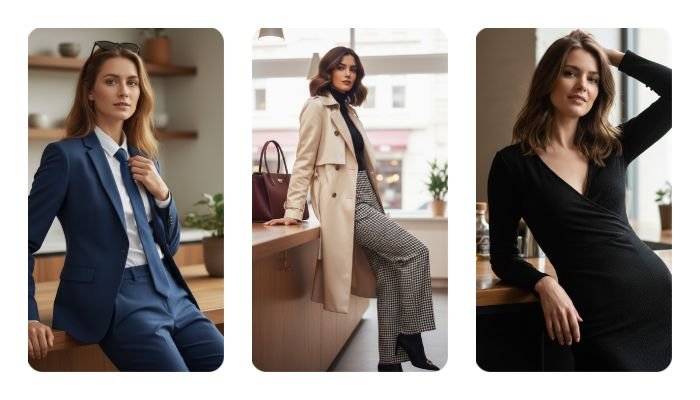
Photo editing with AI has reached a level where images can look almost indistinguishable from real life. Whether you’re a content creator, digital artist, or someone who wants a professional-looking portrait, the right prompt makes all the difference.
A single line can turn an average image into a cinematic, ultra-realistic visual. Below, you’ll find 20 powerful prompts designed to help you create natural, high-quality, and emotionally engaging images—without losing authenticity.
Let’s dive in.
Why Prompts Matter More Than Tools
Most people blame the tool when results look artificial.
The truth? Weak prompts create weak images.



A strong prompt gives the AI clear direction—lighting, pose, mood, realism, and facial accuracy. When written correctly, prompts preserve identity while enhancing overall quality.
Core Elements of a High-Quality Photo Prompt
Before using the prompts below, remember these essentials:
- Natural lighting beats heavy effects
- Facial features must stay untouched
- Realistic textures add depth
- Balanced poses feel authentic
These prompts are built with those principles in mind.
Top 20 Photo Editing Prompts
1. Edit this photo to an ultra-realistic image with bright natural lighting, soft shadows, and true-to-life skin texture.
2. Enhance this image by keeping the face exactly the same, with no alteration to facial structure or expressions.
3. Create a realistic portrait with a confident pose, leaning casually on a wooden counter in a well-lit indoor setting.
4. Maintain original facial features 100%, focusing only on clarity, lighting balance, and sharp details.
5. Generate a natural look with minimal retouching, realistic skin pores, and true color tones.
6. Edit the image with studio-quality lighting while keeping the mood soft and natural.
7. Create a cinematic yet realistic image with shallow depth of field and crisp facial focus.
8. Enhance hair details with a natural layered haircut, maintaining original hair flow and texture.
9. Refine the image for professional photography quality without changing body proportions.
10. Produce an ultra-realistic photo with balanced highlights and shadows for a clean, modern look.
11. Edit this image to look like a high-end fashion shoot while keeping the pose natural and relaxed.
12. Improve sharpness and clarity while preserving a realistic skin finish—no over-smoothing.
13. Create a confident and elegant posture with natural body alignment and realistic lighting.
14. Enhance background subtly without distracting from the subject’s face.
15. Maintain a realistic color grade inspired by natural daylight photography.
16. Generate a high-resolution image with authentic textures and natural contrast.
17. Edit the photo to feel warm, emotional, and lifelike, as if captured by a professional camera.
18. Preserve facial symmetry and identity while improving overall image depth.
19. Create an ultra-detailed portrait that looks unedited yet visually polished.
20. Deliver a final image that feels natural, confident, and photo-realistic—no artificial effects.
How These Prompts Improve Results
Each prompt focuses on realism over exaggeration.
Instead of changing identity, they enhance what already exists. This approach builds trust, visual appeal, and emotional connection—especially important for personal branding and professional use.
Conclusion
Great photo editing isn’t about changing who you are—it’s about presenting your best, most natural version. With the right prompts, AI becomes a creative partner rather than a distortion tool.
Use these Top 20 prompts to achieve ultra-realistic, high-quality results that feel authentic, confident, and emotionally engaging. Remember: realism always outshines exaggeration.

Disclaimer
This blog is for educational and creative purposes only. Always ensure you have the right to edit and use images, respect privacy, and avoid misrepresentation. Results may vary depending on the AI tool and image quality used.